
lingmodeler
↓ 0 downloadsLingModeler: box modeling with quads and tris, rigging + weight painting, 2D vector illustration and animation, procedural textures and game assets; .lmesh / .ling native formats, OBJ, glTF and SVG import / export
lingfu install lingmodelerREADME
LingModeler
A lightweight vector 3D modeler, 2D vector illustration and animation studio, procedural texture lab and character rigging tool, written entirely in Ling. It wears the LingStationX design system: near-black chrome, line work, crosshatch fills, corner brackets and tile lettering.
Runs on Windows, macOS and Linux (desktop Ling runtime), and inside LingOS on x86-64 and Raspberry Pi 5 (the in-kernel Ling runtime).
Screenshots
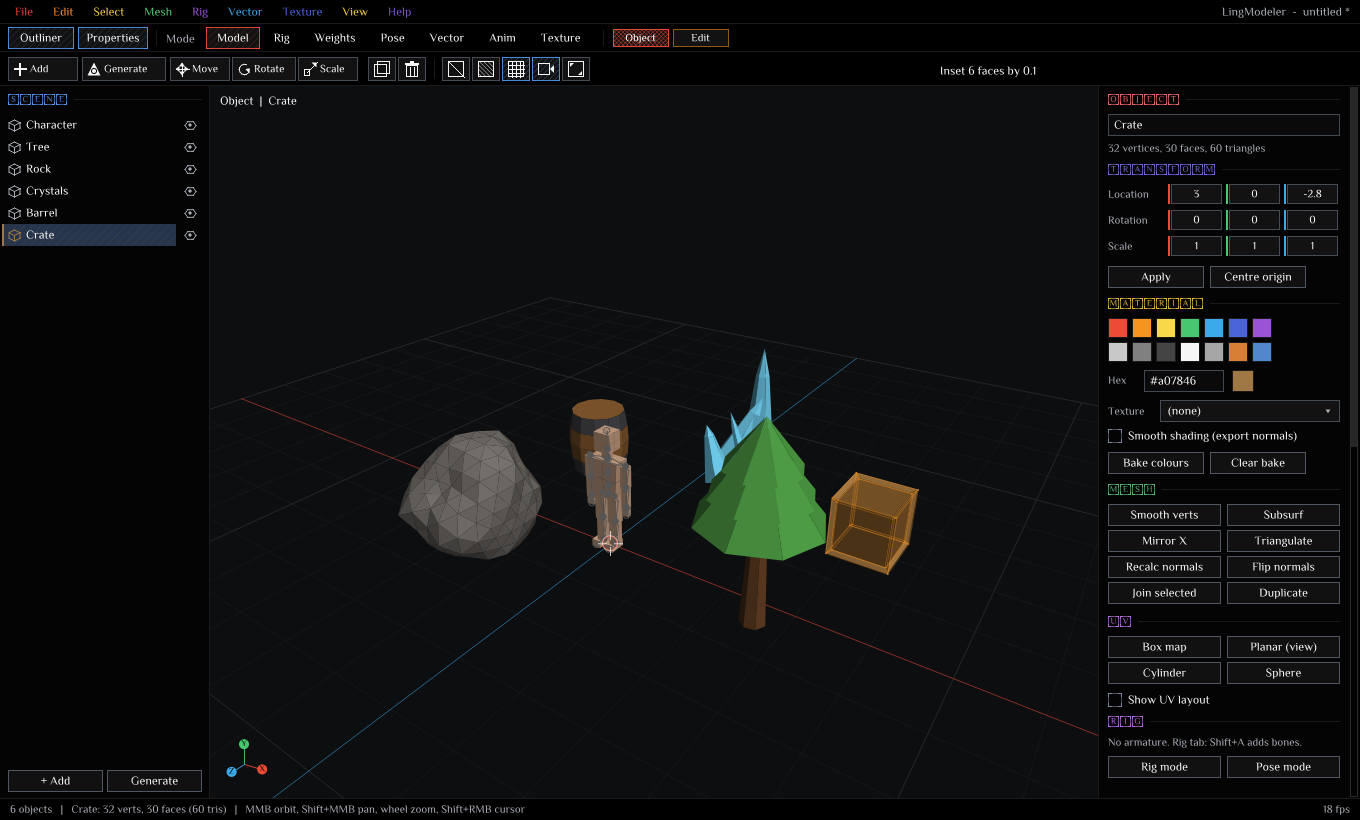 | 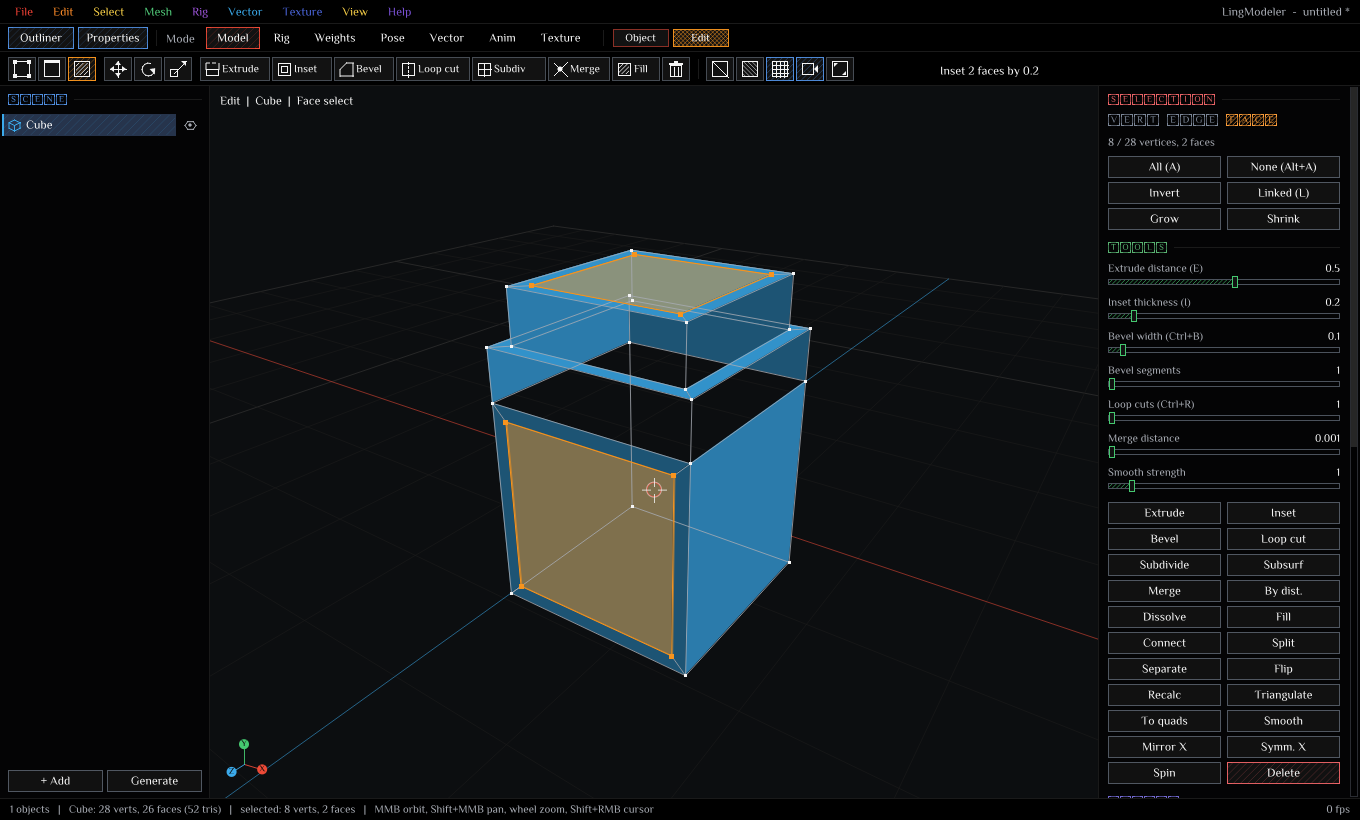 |
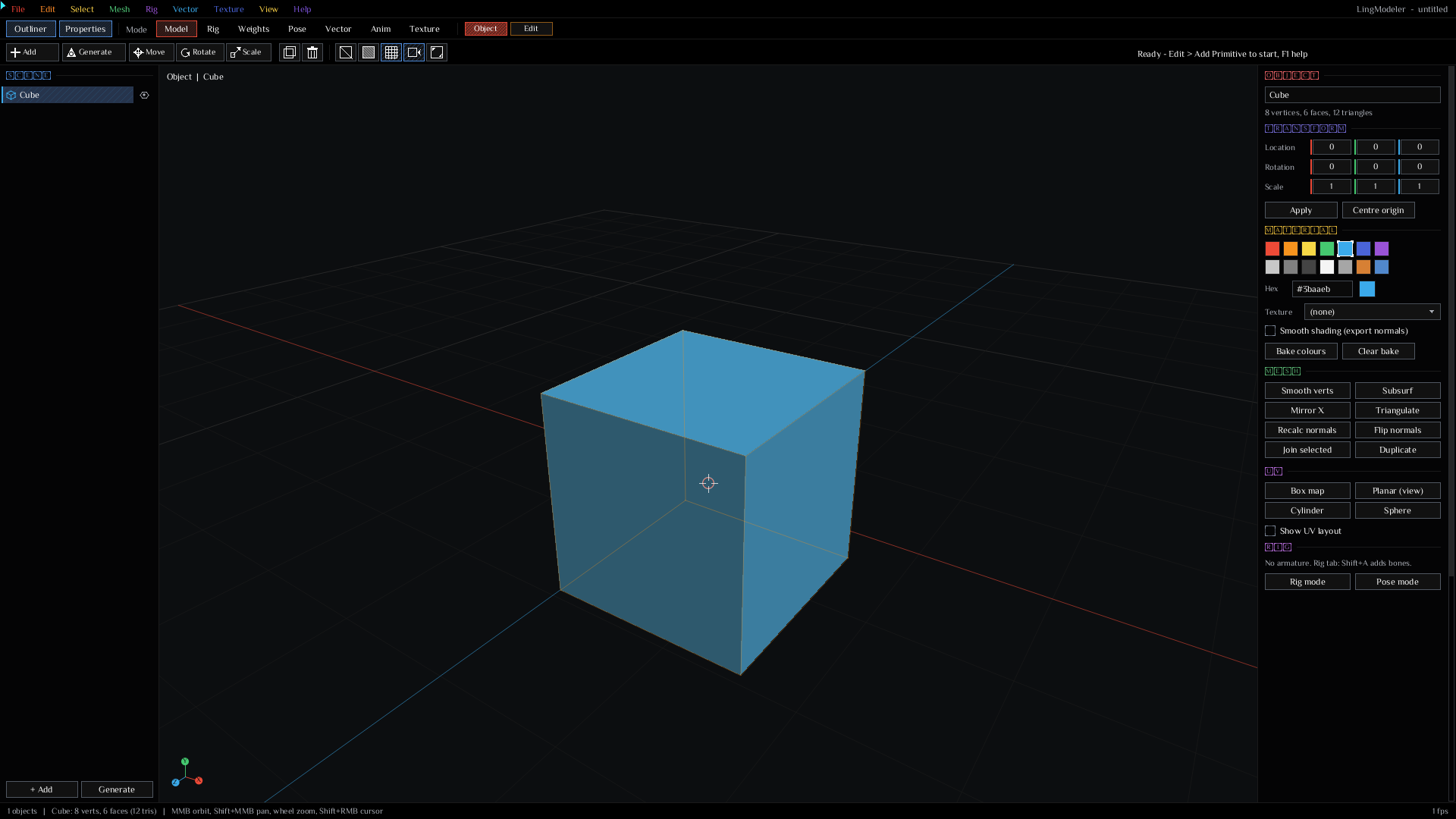
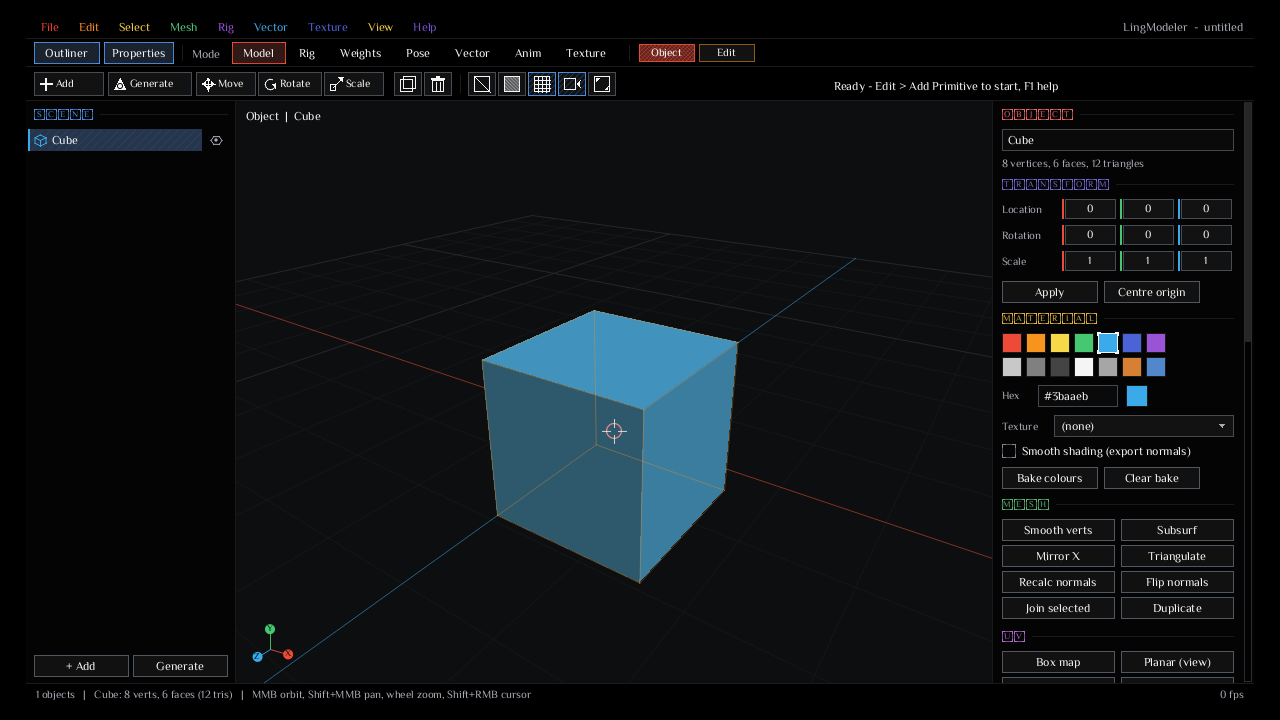
| Model: procedural assets (character, tree, rock, crystals, barrel, crate) | Edit: box modeling, face select, extrude and inset |
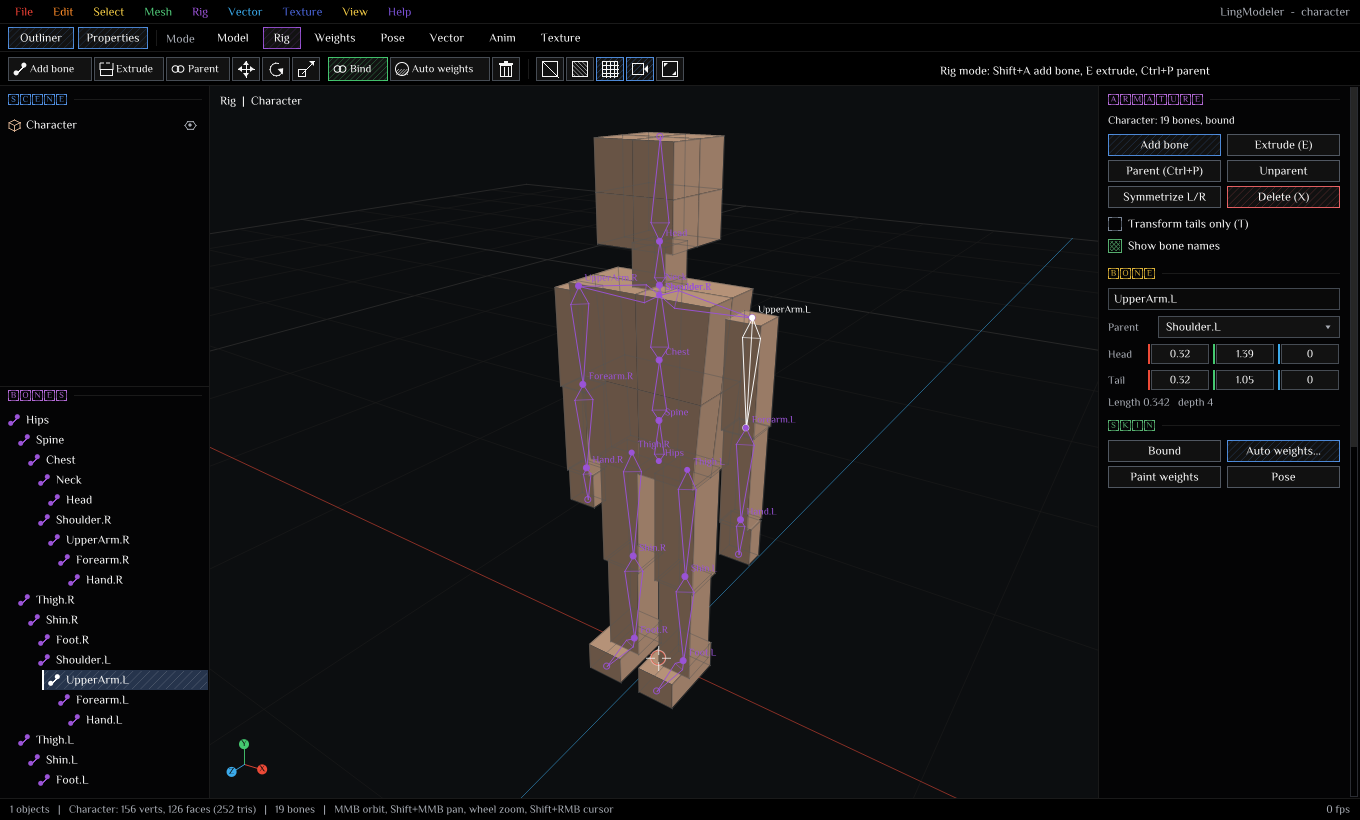 | 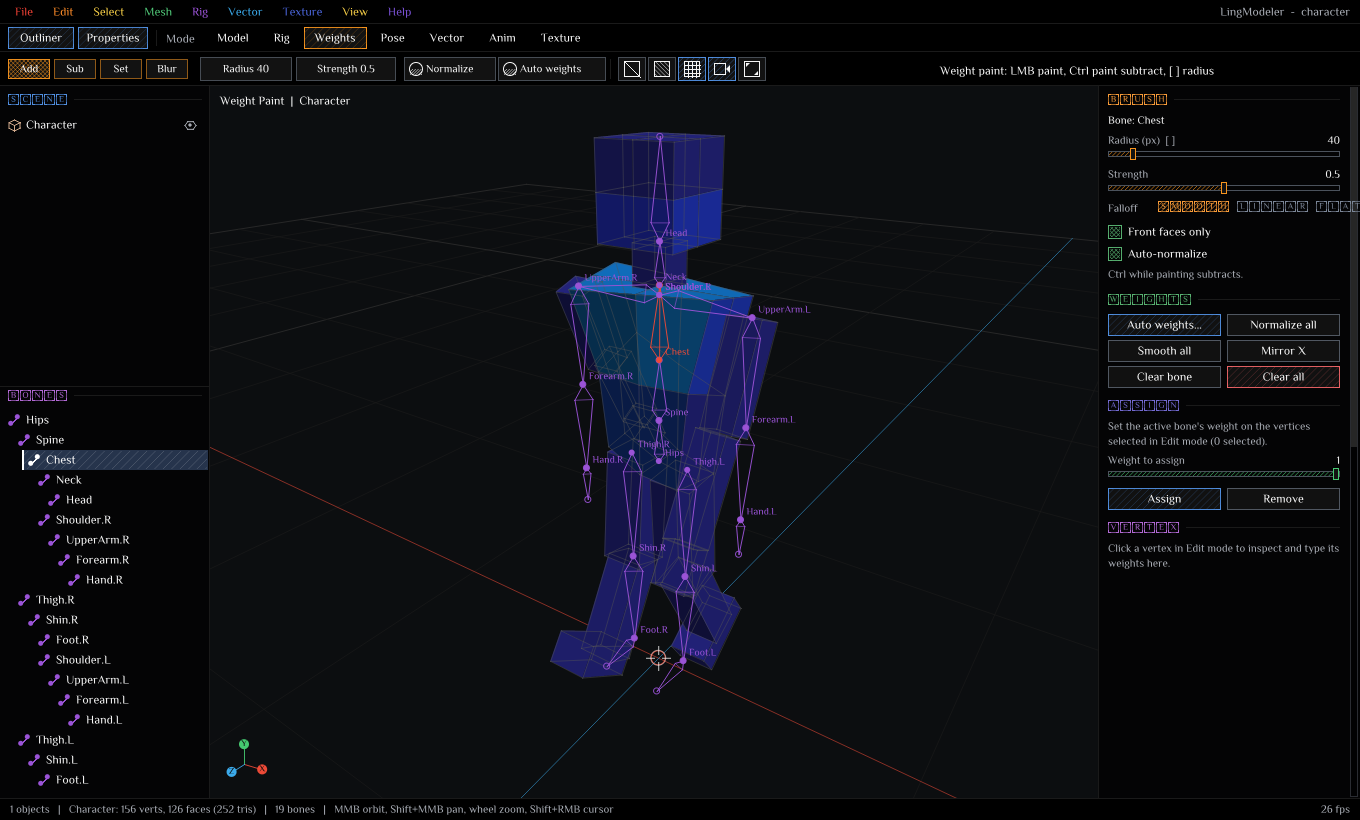 |
| Rig: armature with bone hierarchy, head / tail editing | Weights: heat-map weight painting after auto weights |
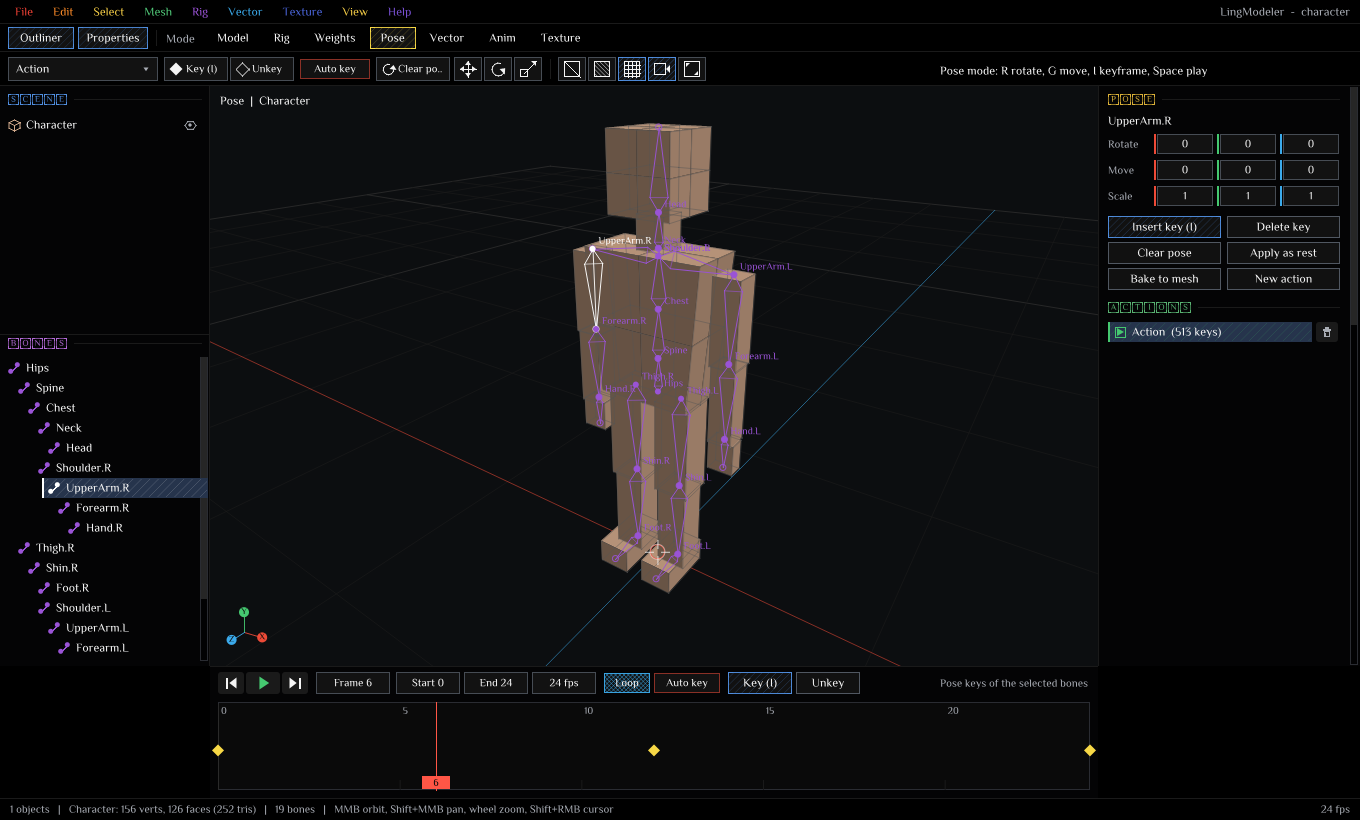 | 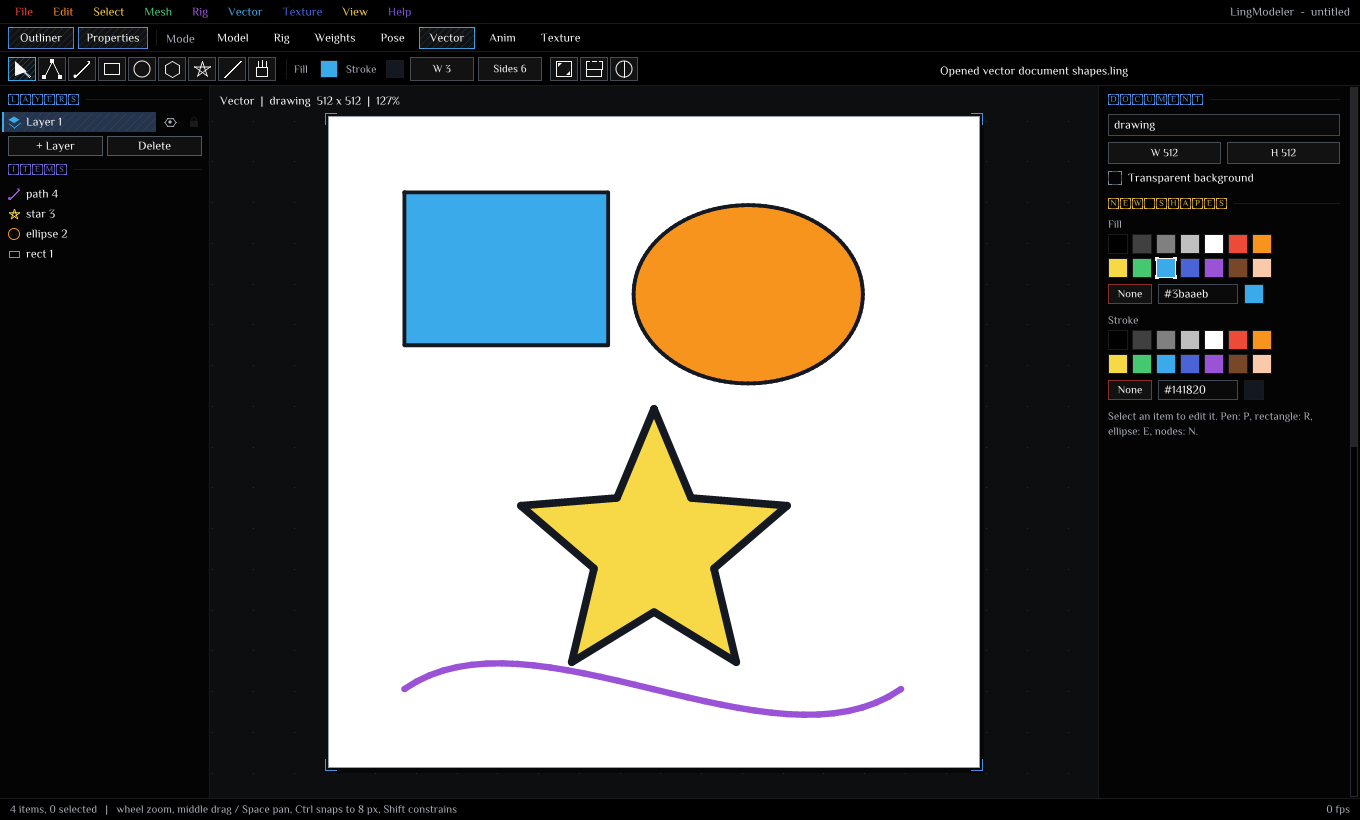 |
| Pose: keyframed walk cycle with skinning and the timeline | Vector: bezier paths, shapes and layers |
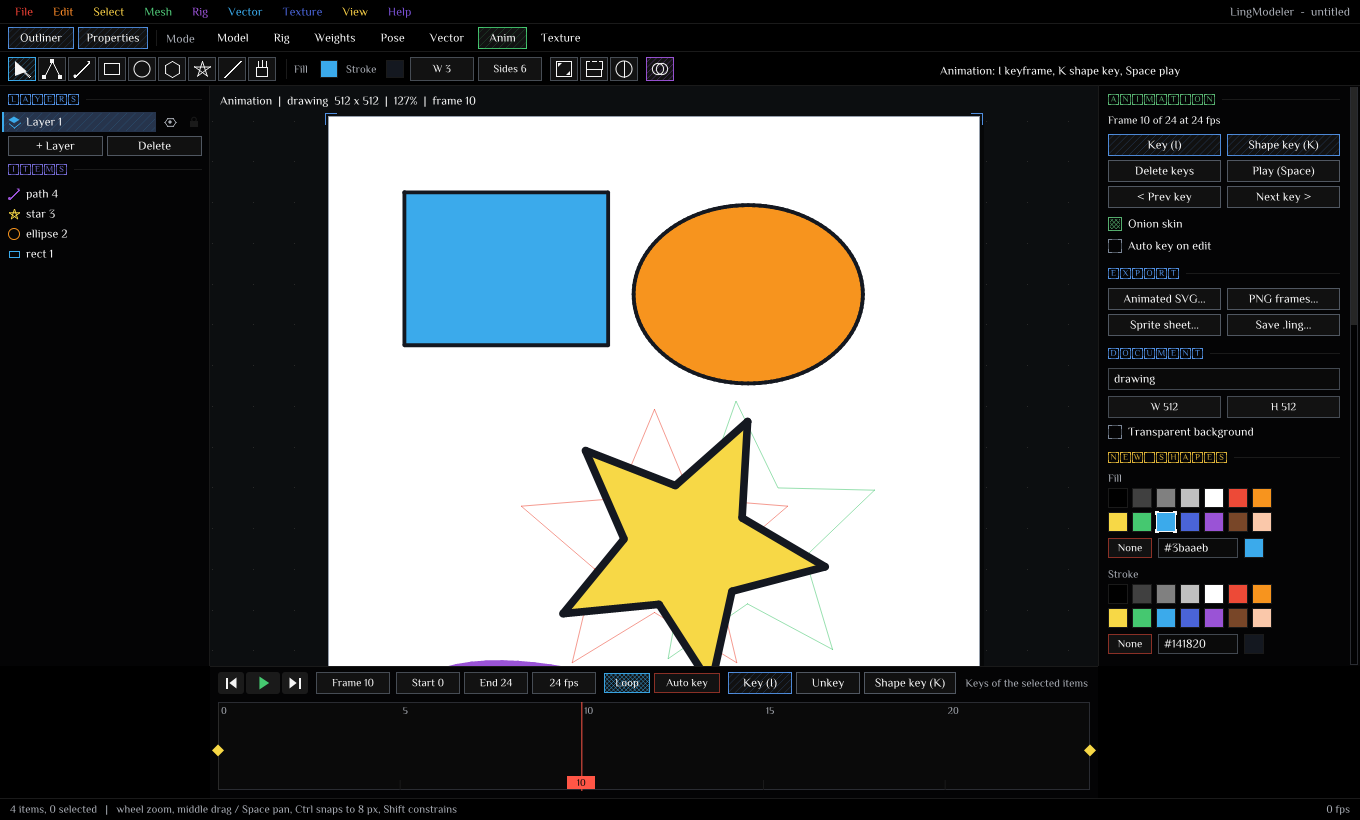 | 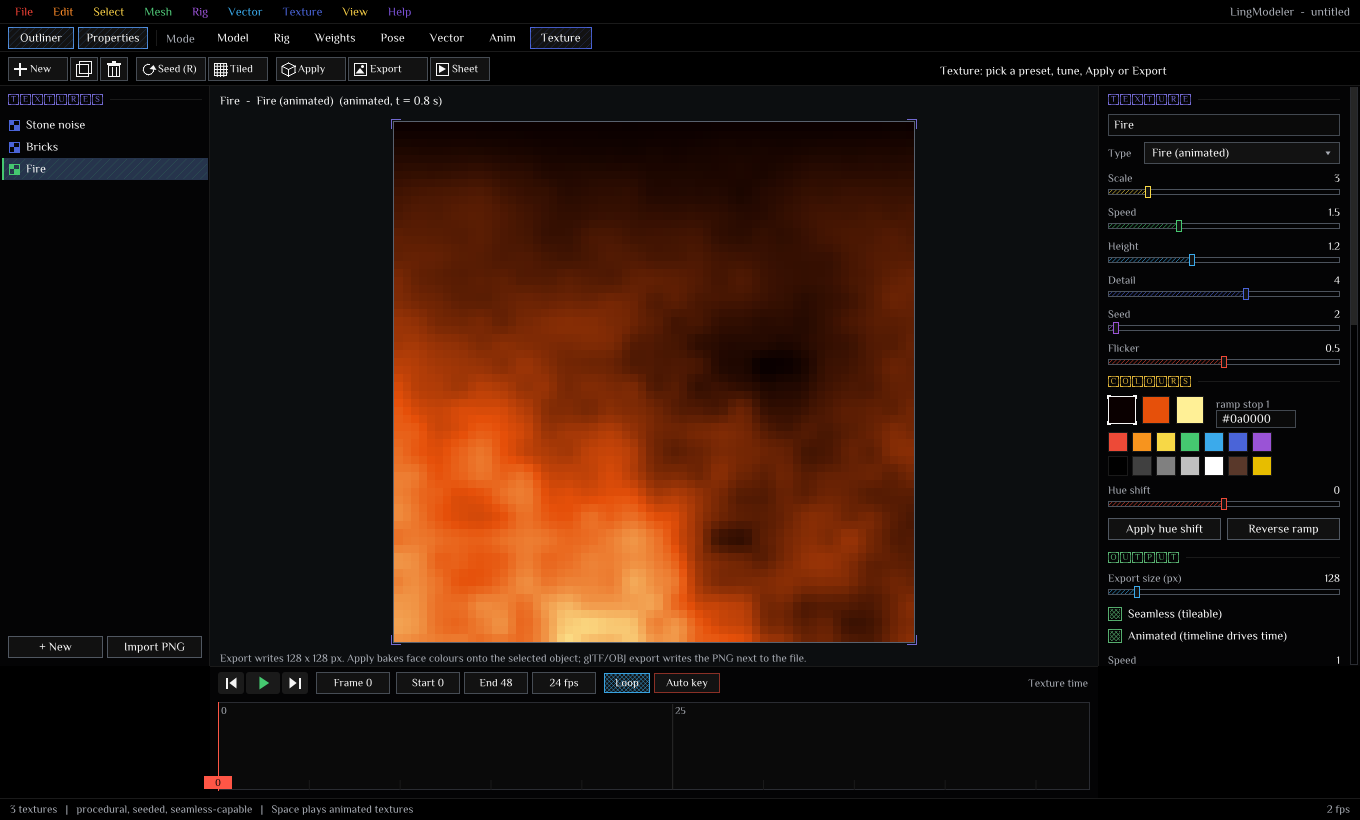 |
| Anim: keyframes and onion skin (previous key red, next green) | Texture: animated procedural fire |
 |  |
| LingOS x86-64 (QEMU, 1920 x 1080) | LingOS Raspberry Pi (QEMU raspi3b, 1280 x 720) |
Regenerate them with python tools/make_screenshots.py (the LingOS ones come from tools/lingos_qemu_test*.sh).
Run
| Platform | How |
|---|---|
| Windows | Double-click LingModeler.vbs (no console), the Desktop shortcut, or run.bat |
| macOS | Double-click LingModeler.command, or ./run.sh |
| Linux | ./run.sh |
| Any | ling run --interp ling/main.ling from this folder |
Launchers prefer a built LingModeler.exe / LingModeler next to them, then ../ling/target/release/ling, then ling on PATH. Output goes to lingmodeler.log.
App arguments: --open <file> · --mode <0..7> · --size 1600x900 · --shot N --name x (screenshot at frame N, then exit) · --do "frame,action;..." and --drive "frame,x,y,down;..." (scripted actions and mouse, used by the tests).
Modes
| Tab | Key | What it does |
|---|---|---|
| Model (Object / Edit) | F1, Tab | Primitives, transforms, box modeling on polygon meshes (tris, quads, n-gons) |
| Rig | F2 | Bones: add, extrude chains, parent, symmetrize .L/.R, bind the mesh |
| Weights | F3 | Weight painting (add, subtract, set, blur brushes), auto weights, per-vertex weight editing |
| Pose | F4 | Pose bones, keyframe actions on the timeline, linear-blend skinning preview |
| Vector | F5 | 2D illustration: bezier paths, shapes, layers, groups, node editing |
| Anim | F6 | 2D animation: transform and opacity keys, shape keys (morphs), onion skin |
| Texture | F7 | Procedural textures: 16 generators, seamless, animated, PNG / normal map / sprite sheet export |
Box modeling (Edit mode)
1 / 2 / 3 switch vertex / edge / face selection; click, Shift+click, box drag, Alt+click for edge loops. G / R / S move, rotate and scale (X / Y / Z lock an axis, Shift is fine, Ctrl snaps, click confirms, Esc cancels).
Extrude (E, region / edge / vertex), Inset (I), Bevel (Ctrl+B), Loop cut (Ctrl+R, multi-cut), Subdivide, Catmull-Clark subsurf (Ctrl+2), Merge (M), Merge by distance, Dissolve, Fill / make face (F), Connect (J), Split (Y), Separate (P), Join (Ctrl+J), Flip and Recalculate normals (Shift+N), Triangulate (Ctrl+T), Tris to quads (Alt+J), Smooth, Mirror X, Symmetrize, Spin / lathe, Apply transform, Centre origin. UV projections: box, planar (from the view), cylinder, sphere; UV layout preview.
Rigging and weights
Shift+A adds a bone at the 3D cursor (Shift+right-click places the cursor); E extrudes a child; Ctrl+P parents; T toggles tail-only editing. Auto Weights is adjustable and re-runnable: falloff power, envelope (the zone that gets full weight), max influences per vertex, smoothing iterations across the surface, minimum weight kept, selected bones only. Refine with the brush (radius [ ], strength, smooth / linear / flat falloff, front faces only, auto-normalize), or type exact weights for a vertex in the Weights panel. Normalize, smooth, mirror X (swaps .L/.R) and clear are one click.
Procedural assets
Generate: rock, crystal cluster, low-poly tree, barrel, crate, pillar, stairs, ramp, terrain tile, fence, coin / gem, and a character base mesh with a 19-bone rig and auto weights, ready to pose.
Textures
Noise (fBm), Voronoi cells, checker, bricks, stripes, wood, marble, dots, gradient, plasma, fire, water caustics, clouds, grunge, hexagons, scales. Three-stop colour ramps, hue shift, seamless tiling, time-driven animation. Apply bakes face colours onto the selected object; OBJ / glTF export writes the PNG and maps it.
Files
| Format | Read | Write | Notes |
|---|---|---|---|
.lmesh | yes | yes | Native scene. Valid Ling source: use "hero.lmesh" then draw_Hero(ox, oy, oz, s) |
.ling | yes | yes | Native vector document and the SVG intermediary; also valid Ling: draw_<name>(ox, oy, s) |
.obj + .mtl | yes | yes | Polygons, UVs, materials (colours, map_Kd), smooth / flat normals |
.gltf | yes (embedded buffers) | yes | Materials, textures, vertex colours, skins, bone animations; import reads skins + weights |
.glb | no | yes | Binary glTF (desktop build) |
.svg | yes | yes | Paths (M L H V C S Q T A Z), rect, circle, ellipse, line, poly*, groups, transforms, styles; animated export uses SMIL |
.png | texture import | yes | Textures, normal maps, sprite sheets, PNG frame sequences, turntable sheets |
Limits, stated plainly: SVG text, gradients and clip paths are skipped on import, arcs become polylines and multi-contour paths become one shape per contour. glTF import needs embedded (data URI) buffers (ling convert handles external .bin / .glb) and does not import animations yet.
Build
# Windows portable folder + zip: dist\LingModeler-win64\LingModeler.exe
powershell -File tools\build_desktop.ps1
# Linux / macOS (run on that OS): dist/LingModeler-linux or dist/LingModeler-macos (+ LingModeler.app)
sh tools/build_desktop.shlingfu build --no-aot also works: it finds Ling.toml (entry ling/main.ling) and builds an interpreter-embedded exe, which must be started from the ling folder because it resolves use from the working directory. Plain lingfu build defaults to native AOT, and the current Cranelift backend panics on this 750-function program (a toolchain bug, not an app error; every module compiles on its own), so the scripts above use the portable-launcher build instead.
LingOS
ling/main_os.ling is generated from main.ling by tools/make_os_entry.py (it swaps in plat_os.ling, which scan-converts polygons in Ling and turns image features off). The LingOS repo has two targets:
cd ../LingOS
python ../LingModeler/tools/make_os_entry.py
../ling/target/release/ling build kernel/x86_64-lingmodeler --platform kernel --out dist   # x86-64 (QEMU / VirtualBox / PC)
../ling/target/release/ling build kernel/rpi-lingmodeler --platform rpi --out dist         # Raspberry Pi 5
or powershell -File tools\build_lingos.ps1. On the Pi desktop LingModeler is the "M" dock tile and sits in the Applications menu under Development; Ctrl+Q returns to the desktop.
Source files
| File | What it holds |
|---|---|
ling/main.ling, ling/main_os.ling | Entry points: desktop, and LingOS (generated) |
ling/plat.ling, ling/plat_os.ling | Platform layer (desktop runtime / in-kernel runtime) |
ling/core.ling, ling/ds.ling, ling/icons.ling | Widgets and the LingStationX design system |
ling/mesh.ling, ling/meshops.ling, ling/prims.ling, ling/uv.ling | Polygon meshes, selection, undo, modeling operations, primitives, UVs |
ling/view3d.ling | Viewport, camera, picking, G / R / S |
ling/rig.ling, ling/pose.ling | Bones, auto weights, weight painting; pose, skinning, actions |
ling/vec2d.ling, ling/anim.ling, ling/timeline.ling | Vector studio, 2D animation, shared timeline |
ling/texture.ling, ling/gen.ling | Procedural textures, asset generators |
ling/lingfmt.ling, ling/objfmt.ling, ling/gltf.ling, ling/svg.ling, ling/json.ling | File formats |
ling/raster.ling | Software rasterizer for PNG exports |
Ling gotchas met while writing this
&&and||do not short-circuit: guard alist_getwith a nestedif, neveri < n && list_get(l, i).sel(c, a, b)is a function: both branches are evaluated.- Words reserved in any supported language cannot be identifiers:
si,ok,can,fit,form,move,copy,start... bind x = ...both declares and reassigns; there is no unary minus (0.0 - x).